Offline-first · Private · Now with prayer groups

Walk your faith,
day by day.

A quiet, private companion for your daily walk with Jesus — your prayers, your Bible reading and your study, all kept safely on your device.

GET IT ONAndroid SPEAKSEnglish · Français
4
In‑app journals
0
Ads · accounts · trackers
1
Bible · in 2 languages
Dream recordedSaved before you forget
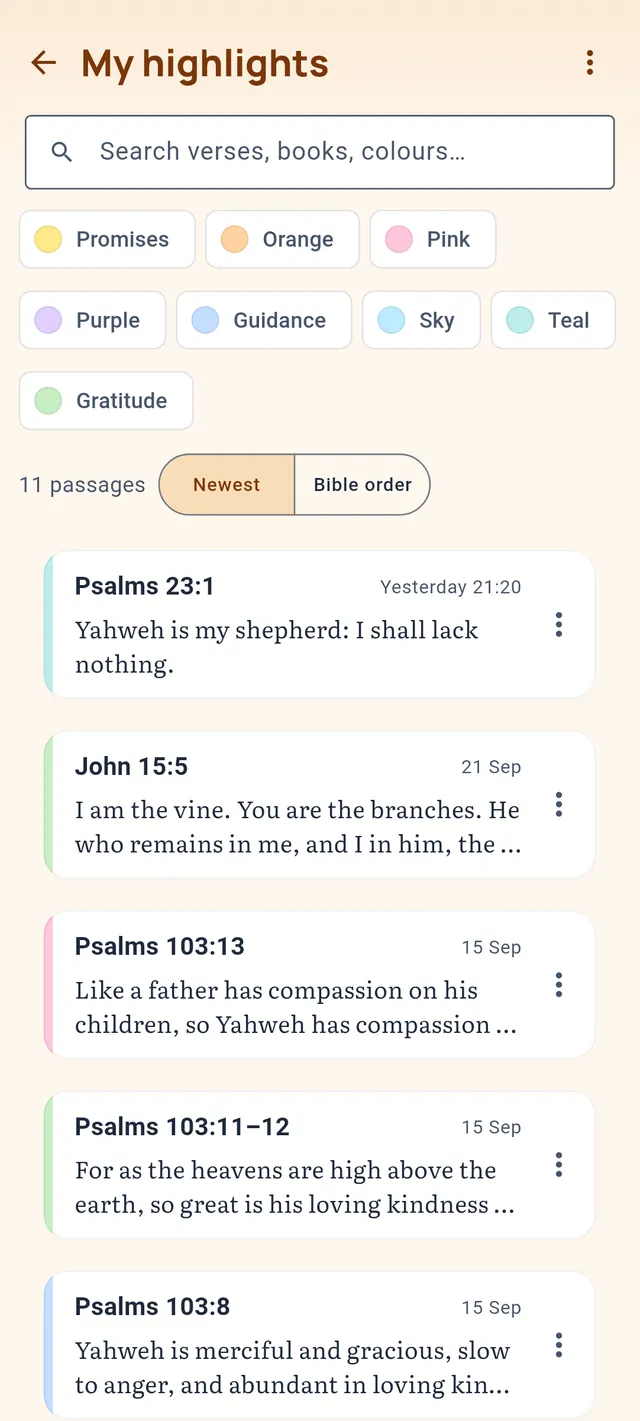
Verse highlightedThen study or pray it
Bible studyChapter Summary · SPACEPETS
Your words
stay on your device
No account,
no ads, no trackers
Works fully
offline
English & Français
Why Christian Walk

Your quiet place to walk with the Lord.

Most Christian apps want you on the cloud. Christian Walk was built the other way round: everything you write — prayers, dreams, notes, studies — lives on your phone, the way a personal journal should. And when you want to pray with others, prayer groups let you share end‑to‑end encrypted, with no account and no one in the middle who can read a word.

Truly private, by design

No sign‑up. No analytics. No advertising SDKs. Your personal journal never leaves your device; prayer groups sync only what you choose to share, end‑to‑end encrypted. Sensitive entries can be locked behind a private vault secured by your fingerprint, device PIN or an app PIN — with field‑level AES‑GCM encryption and recovery via a security question.

Your whole walk, in one place

Prayer, dreams, Scripture reading and structured study are woven together — highlight a passage and turn it into a prayer, a study, or a dream entry in a single tap. One quiet companion, not a folder of apps.

Real Bible study methods

Two time‑tested study templates guide you through a passage step by step: the Chapter Summary Method (Rick Warren’s ten C’s) and the Devotional Method (the SPACEPETS framework) — with the verse text right there as you study.

Never lose a dream or a prayer

Dreams fade fast — capture them by voice or text before they slip away. Prayers link into chronological “threads” so tonight’s prayer carries yesterday’s, and you can mark when the Lord answers and record how.

Four journals · One app

Each module has its own world — and they talk to each other.

Every journal carries its own theme and colour, but the Scripture that runs through them is shared. Start in the Word and let it flow into your prayers and your study — and quietly bind your dreams too.

01

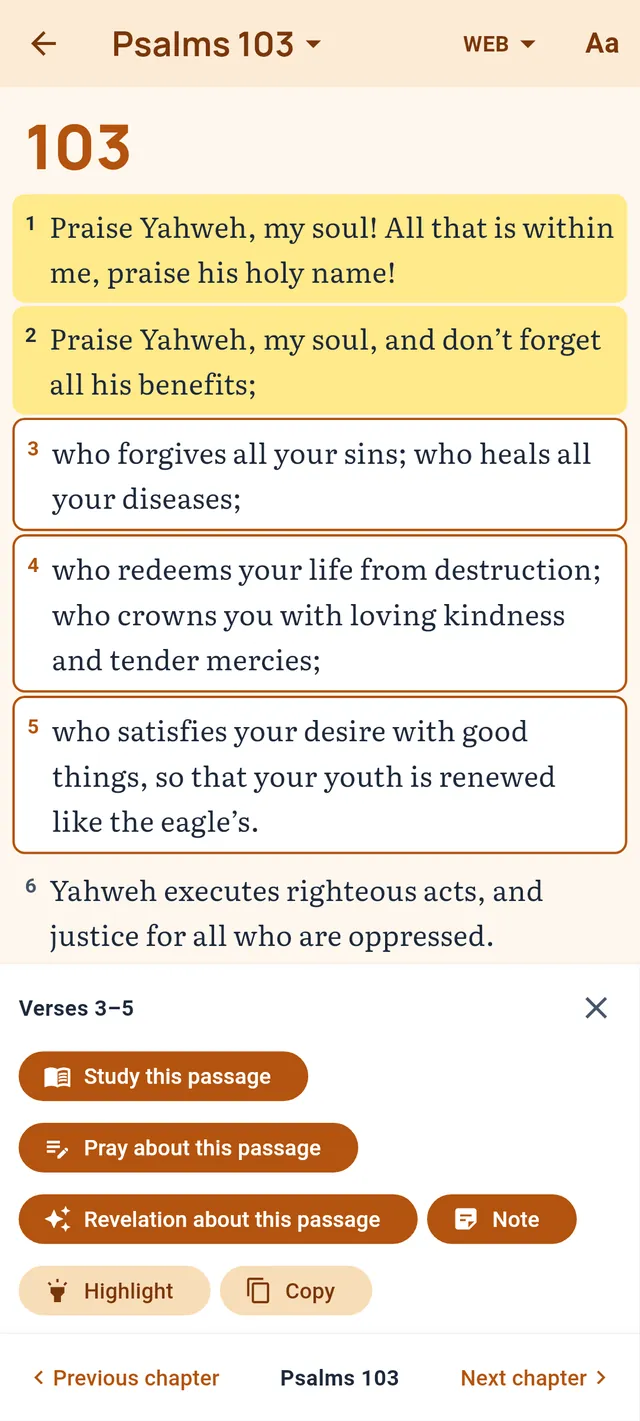
Bible Reading

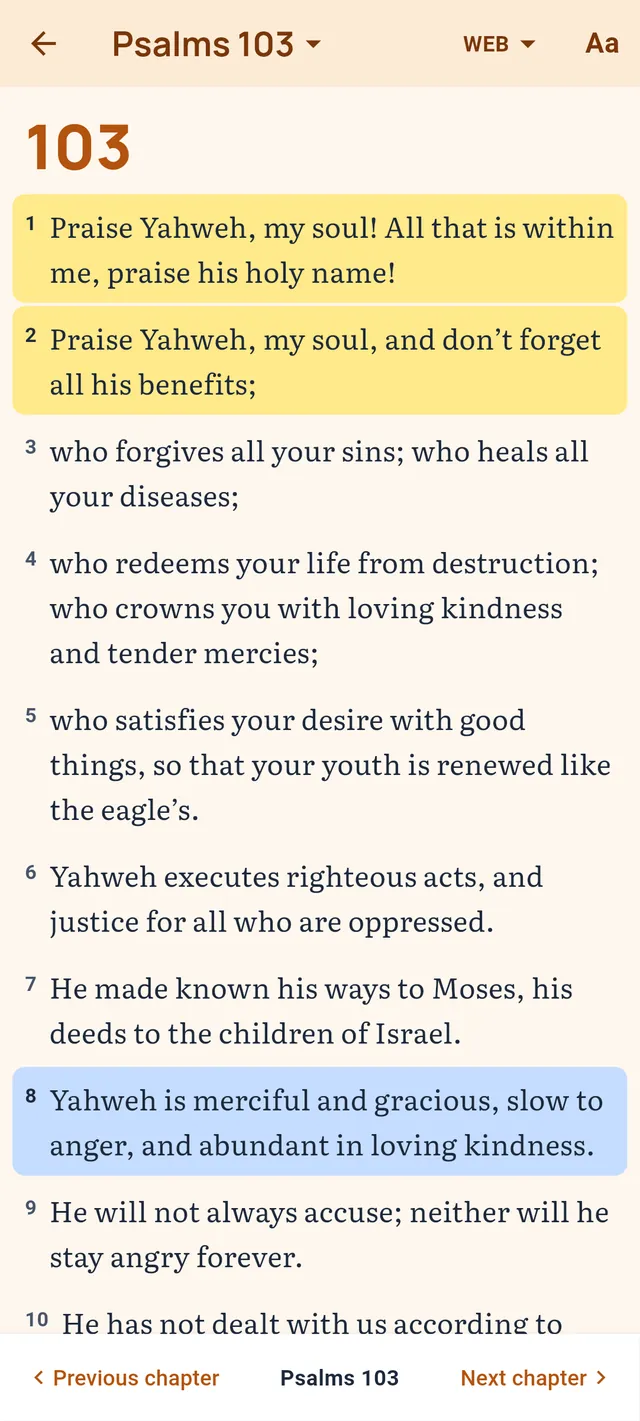
A peaceful place to read the Scriptures one chapter at a time, with the translation that matches your language.

  • World English Bible (en) & Louis Segond 1910 (fr) bundled — read offline
  • Tap verse(s) to highlight; multi‑verse ranges supported
  • “Continue reading” picks you up where you left off
  • Send any selection into a new prayer, dream or Bible study
02

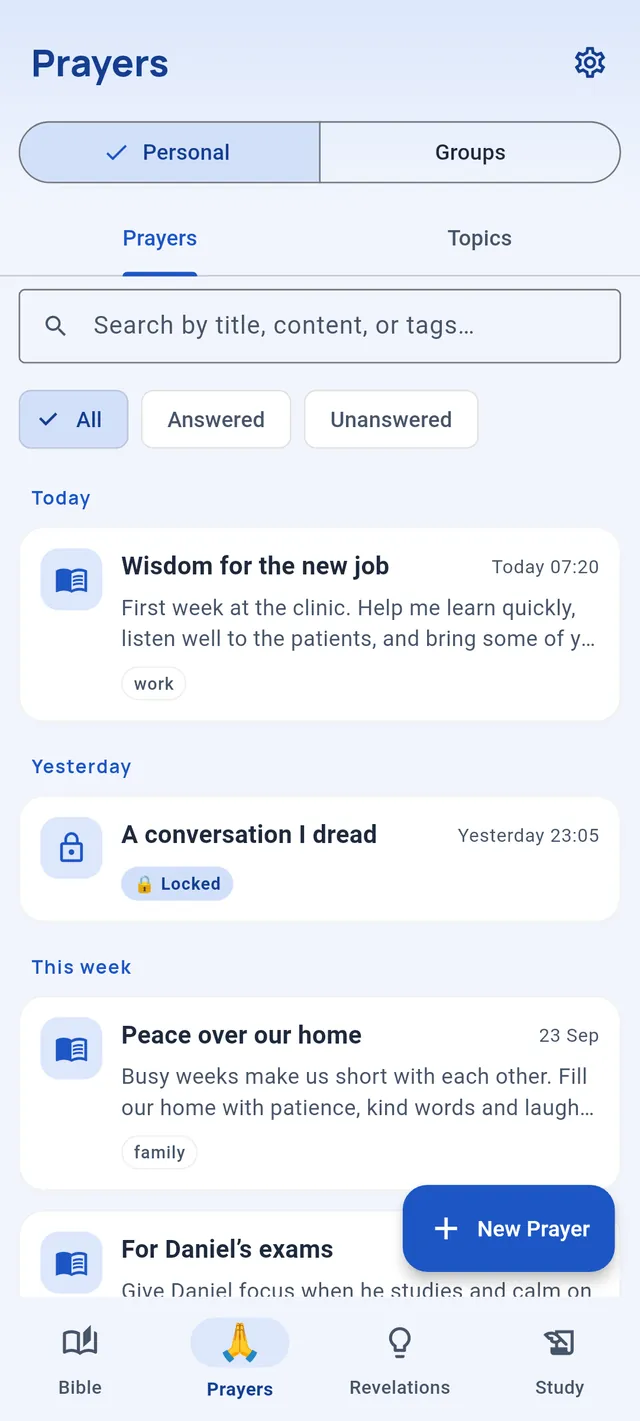
Prayer Journal

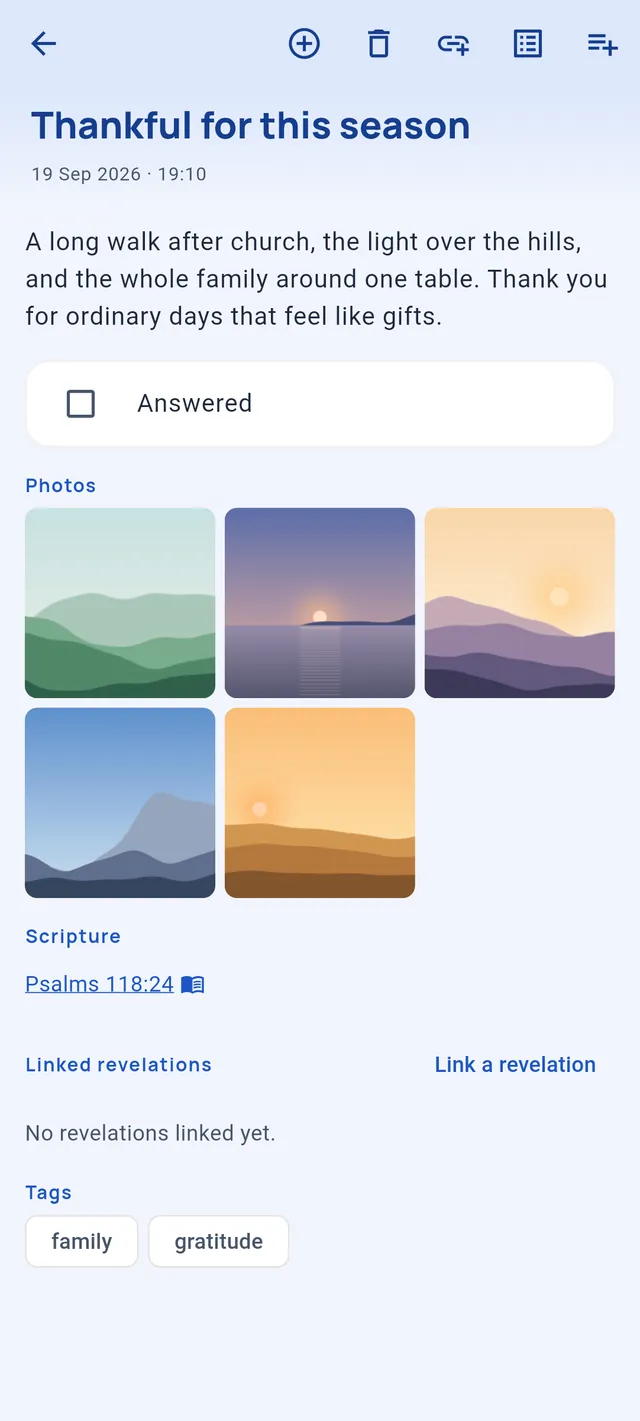
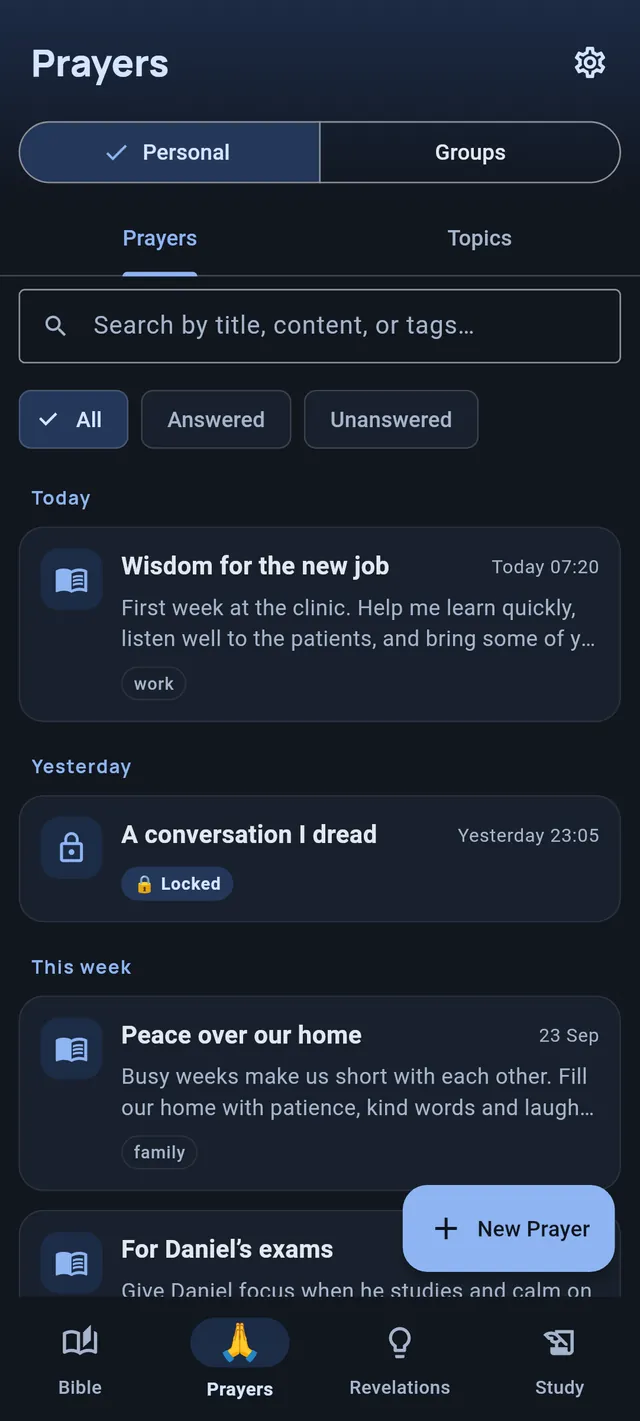
Write or speak your prayers, attach Scripture, and let them grow into threads over time.

  • Written or voice prayers (saved locally as .m4a)
  • Tags on every entry, plus prayer topics to gather them
  • “Continue Prayer” links entries into chronological threads
  • Mark a prayer answered and note how it was answered
03

Bible Study

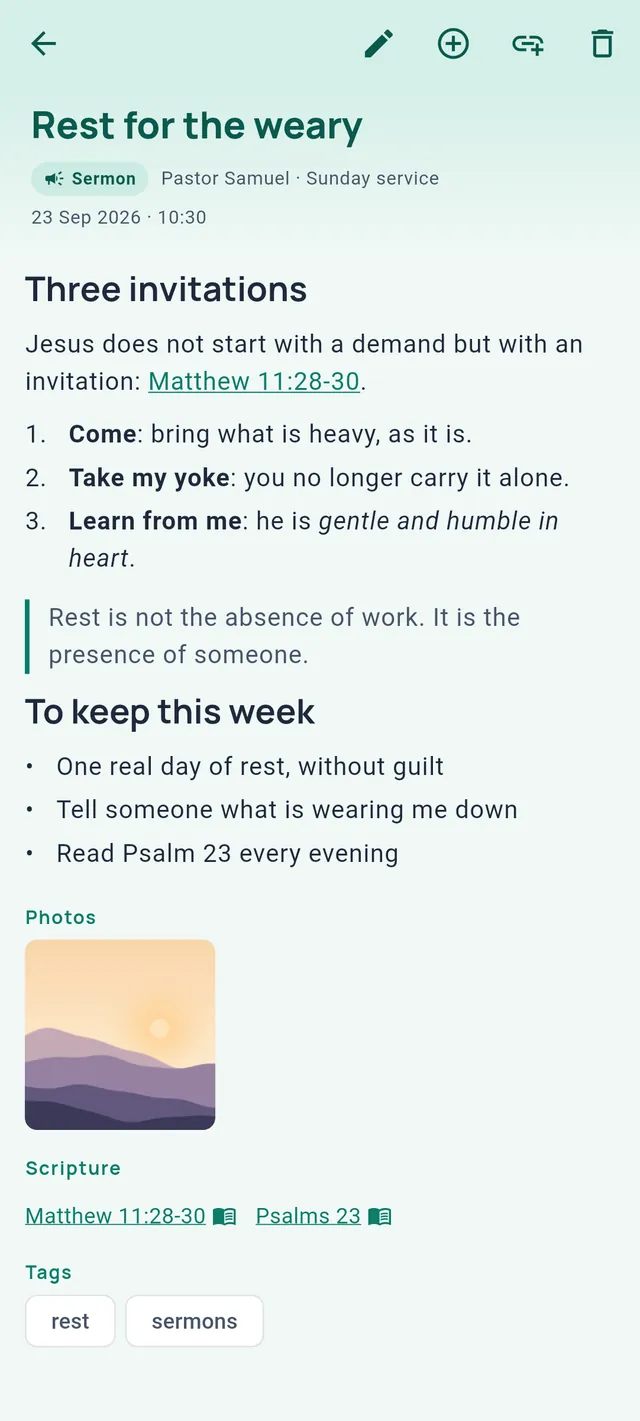
Study a passage with proven methods, step by step, the verse text at your fingertips.

  • Chapter Summary Method — Rick Warren’s ten C’s
  • Devotional Method — the SPACEPETS framework
  • Bundled verse text shown for the memorization step
  • Jump straight from a Bible‑reading selection
04

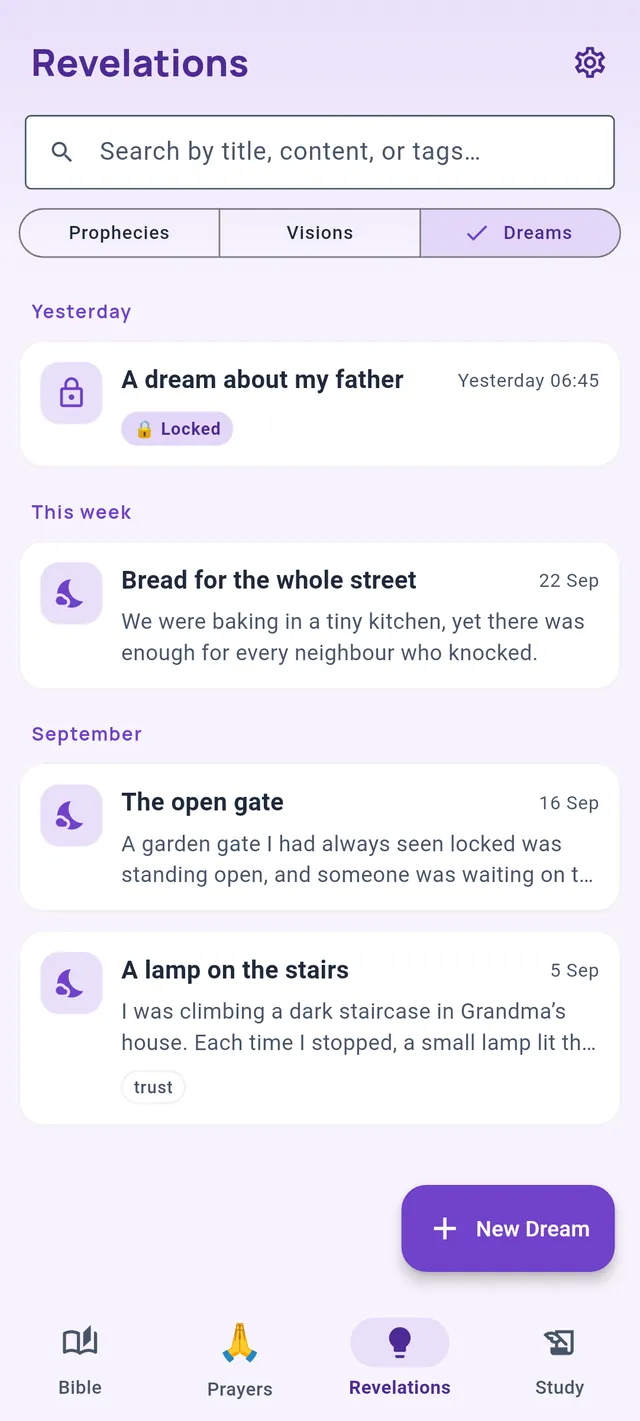
Dreams Journal

The same capture, search and chronology — kept separate, in its own midnight‑indigo journal.

  • Record dreams quickly before they fade
  • Voice capture, tags and fast full‑text search
  • Chronological linked entries you can edit or delete
  • Optional private entries behind the vault
New in v2.2 · Prayer Groups

Pray together — without giving up your privacy.

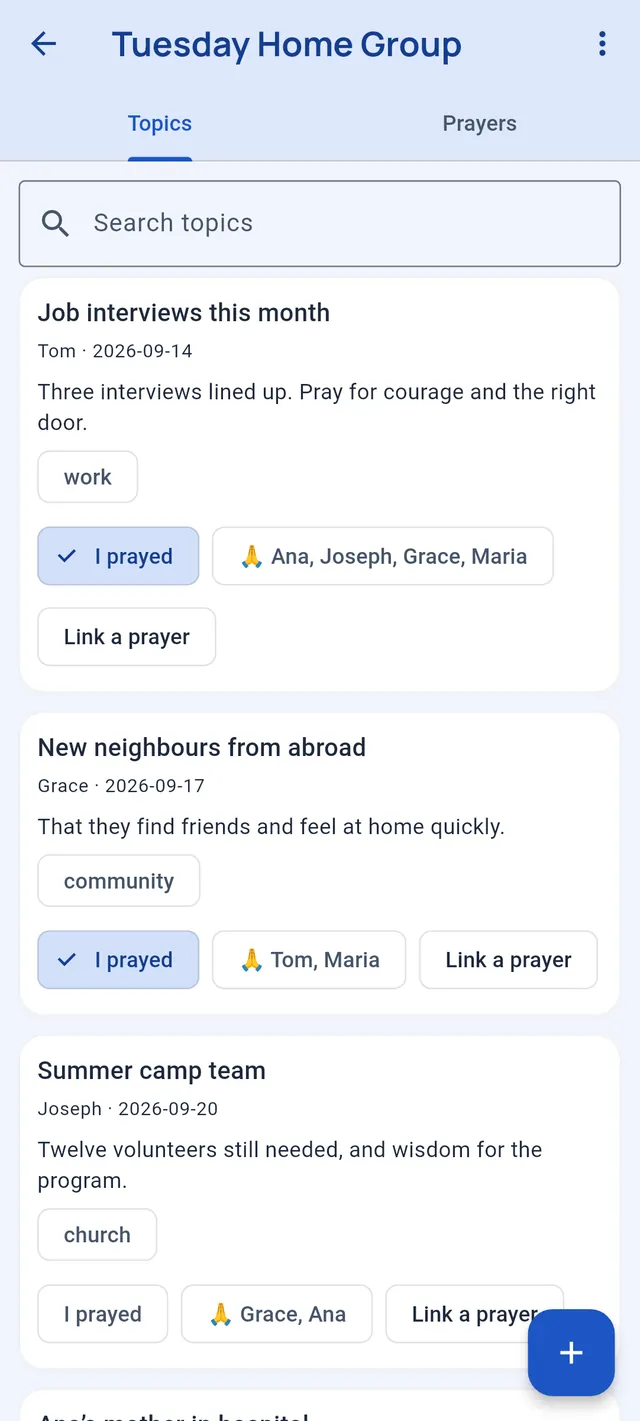
Start a prayer group with your family, small group or church. Share prayers and prayer topics, see who has prayed, and mark prayers answered — all end‑to‑end encrypted, so only the people holding the group’s key can ever read them.

01 — Gather

Create or join in seconds

Make a group and invite people with a QR code or a copyable invite — scanning in person is the most private way. Joining needs no account: the invite quietly carries the encryption key.

02 — Share

Prayers, topics & voice

Write a prayer straight into the group or share one from your journal. Add topics, tap “I prayed,” attach Scripture, note how a prayer was answered — even share a voice prayer. Everyone stays in the loop.

03 — Sync

Automatically, or by hand

New groups keep themselves in sync through a secure relay — nothing to set up. Prefer to stay fully manual? Send an encrypted update file through any messaging app instead. Your choice, per group.

End‑to‑end encryptedGroup prayers are sealed with AES‑GCM under a key that never leaves members’ devices.
Zero‑knowledge relayThe sync server stores only unreadable ciphertext — never your prayers, your group’s name, or who’s in it.
Yours to controlTurn auto‑sync off, or point a group at your own self‑hosted relay. Open source, per group, any time.
Features in detail

Thoughtful tools that respect your time and your privacy.

Scripture woven through

In Bible Study, Choice Verses and cross‑references are tappable citations — one tap opens the Reader at that passage, and back returns you exactly where you were. From the Reader, send any selection straight into a new prayer, dream or study.

Prayer “threads”

Continue a prayer across days. Entries link chronologically (and transitively), so a long‑running request becomes one visible thread with a linked‑thread drawer.

“Answered” — and how

A checkbox plus a free‑text note lets you record how the Lord answered. Filter your prayer feed to All, Answered or Unanswered, so faithfulness becomes visible.

Voice capture

Record prayers and dreams by voice when typing gets in the way. Audio is saved locally on your device and never uploaded.

Full‑text search & tags

SQLite FTS5 search across titles, content and tags. Your journal stays fast as it grows, even with years of entries.

A private vault

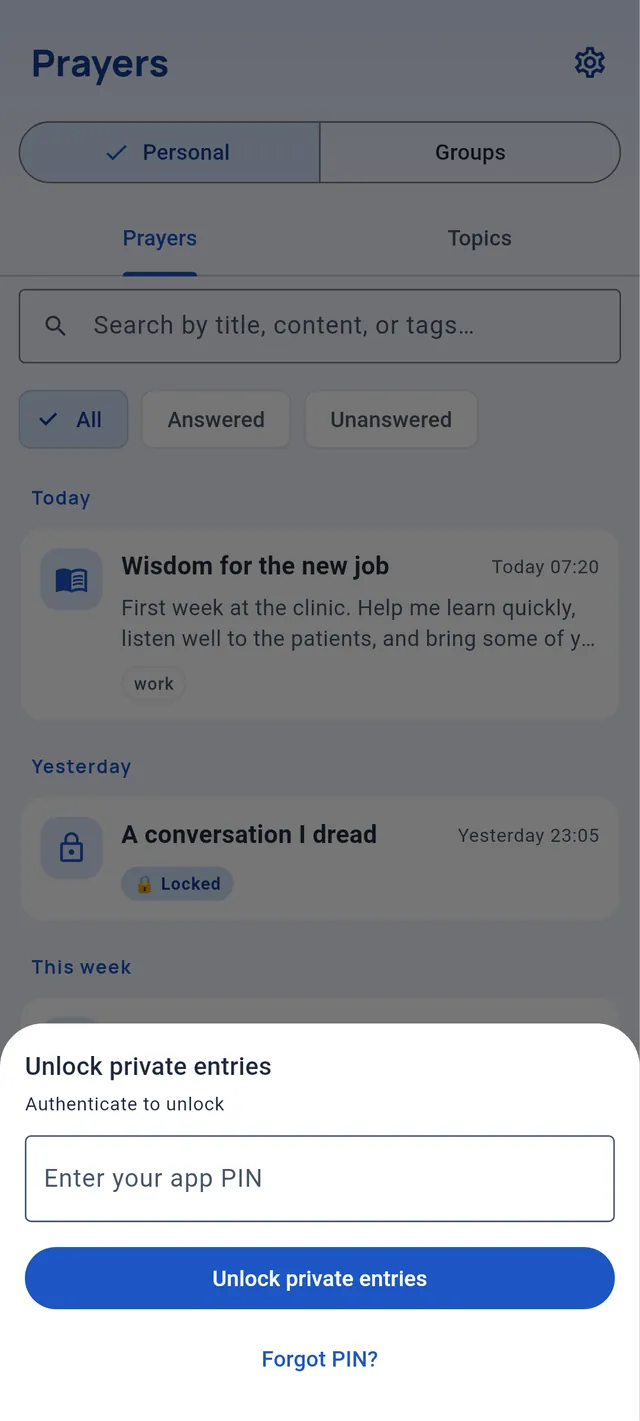
Mark any entry private. Sensitive fields are AES‑GCM encrypted, unlocked with biometric / device PIN or an app PIN, with recovery through a security question and auto‑lock when you leave the app.

Pick up where you left off

Bible Reading remembers your last chapter and verse. A “Continue reading” card on the home tab drops you straight back into the Word, right where you stopped.

One Bible, two languages

The same Bible in your language: the app speaks English and French, and reads the matching bundled translation — World English Bible or Louis Segond 1910 — based on your locale.

Encrypted prayer groups

Share prayers and topics with a group over an end‑to‑end‑encrypted, zero‑knowledge relay — or by hand as an encrypted file. New in v2.2: on by default for new groups, and off whenever you want.

How it flows

From the Word, into your life.

Christian Walk is built so your time in Scripture and your prayer life are one conversation, not separate apps.

01 — Read

Open the Word

Pick your translation, open a chapter, and read at your own pace. Highlight verses that stand out; the app remembers exactly where you stopped.

02 — Respond

Read · Pray · Study

Select verses and turn them straight into a prayer (with the verse text pre‑filled), a dream entry, or a full Bible study — all seeded with that Scripture.

03 — Remember

Track faithfulness

Keep the thread going day after day, mark prayers as answered and note how, and watch how the Lord has moved through your quiet record.

Privacy

Private by design. Quiet by intent.

Christian Walk is offline‑first. Everything you write — prayers, dreams, studies, tags and audio — is stored only on your device, in the app’s private sandbox and a local SQLite database. The one thing that ever leaves is a prayer‑group update, and only when you choose to share it — end‑to‑end encrypted, unreadable to anyone but the group.

  • Your personal journal stays on your device. Prayers, dreams and studies require no account and are never sent anywhere. No analytics, no advertising SDKs — the app collects nothing about you.
  • Prayer groups are end‑to‑end encrypted. Only what you share is synced, sealed with a key that never leaves members’ devices. The relay is zero‑knowledge: it holds unreadable, self‑expiring ciphertext and can’t see your prayers, your group’s name, or who is in it.
  • A bundled Bible ships inside — the World English Bible (English) and Louis Segond 1910 (French), public domain — so no network is needed to read the Scriptures.
  • Permissions stay minimal: the microphone only when you record a voice entry, the camera only to scan a group‑invite QR, and the internet only to sync a group you’ve opted in. Each can be denied.
  • You’re in control. Uninstalling deletes all of your on‑device data immediately, because it lives only in the app sandbox.
Questions

Frequently asked

Does Christian Walk need an account or internet? +

No account, ever — there’s no sign‑up and no login. Everything personal works fully offline, with a Bible bundled inside. The only time the app uses the internet is to sync a prayer group you’ve opted in — and even then it sends only end‑to‑end‑encrypted data.

Where is my data stored? +

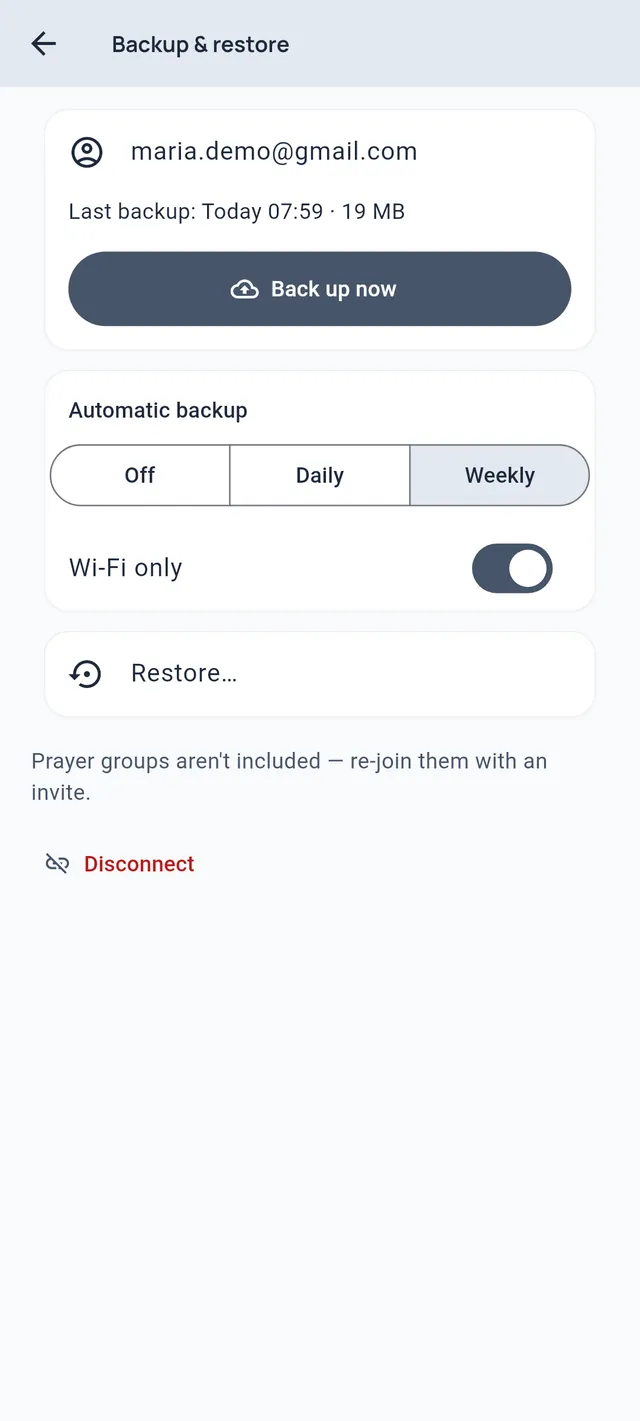
Your personal entries live in the app’s private, sandboxed storage and a local SQLite database on your phone — no cloud copy, no server backup.

Group updates you share are end‑to‑end encrypted and kept in sync through a relay that can only ever store unreadable ciphertext — or you can skip the relay entirely and share updates as files by hand.

How do prayer groups stay private? +

When you create or join a group, a random encryption key is generated and shared only inside the invite (a QR code or a copyable code). Everything shared to the group is encrypted with that key using AES‑GCM before it ever leaves your phone.

The sync relay is zero‑knowledge: it stores only unreadable ciphertext addressed by an anonymous mailbox id, and can never see your prayers, your group’s name, or its members. It keeps data only for a bounded time and can’t even confirm a mailbox exists.

Can I turn off syncing or use my own server? +

Yes — it’s entirely per group. New groups sync automatically through the default relay, but you can switch auto‑sync off at any time and share updates by hand as encrypted files instead.

You can also point any group at your own relay: it’s a small, open‑source service you can self‑host. Existing groups are never changed for you.

What makes an entry “private”? +

Any entry can be marked private. Its sensitive fields are encrypted with AES‑GCM 256 and only decrypt after you unlock the vault with your fingerprint, device PIN or an app PIN. Private entries appear as discreet placeholder cards in your lists until unlocked.

If you ever forget your unlock, a one‑time security question recovers access.

Which Bible translations are included? +

Two public‑domain translations ship inside the app: the World English Bible (English) and Louis Segond 1910 (French). The app picks the matching one for your language, and you can switch between them when reading.

Can I record prayers or dreams by voice? +

Yes. Voice recording turns on only when you choose it and is saved as a local .m4a file on your device. It is never uploaded anywhere.

What devices is it available on? +

Christian Walk is built with Flutter and currently ships for Android (minSdk 23). The codebase is kept platform‑agnostic so iOS, web and desktop can follow.

Is it free? Are there ads or in‑app purchases? +

Christian Walk is free, contains no advertising and has no in‑app purchases.

Start your walk today

A quiet companion for the journey.

Keep your prayers, your dreams, your reading and your study — all in one place that’s yours alone.

Android · Free · English & Français · No ads, no account, no trackers